
Dive into AI Face Swapping: A Beginner’s Adventure
Ever tried to free face swap video online? If not, buckle up because this is about to get thrilling. AI face swapping is like stepping into a sci-fi movie, where you can seamlessly put your face on another person’s body and vice versa. No need for Hollywood CGI magic; your home computer and some nifty software will do the trick. Let’s dive headfirst into this exciting frontier, shall we?
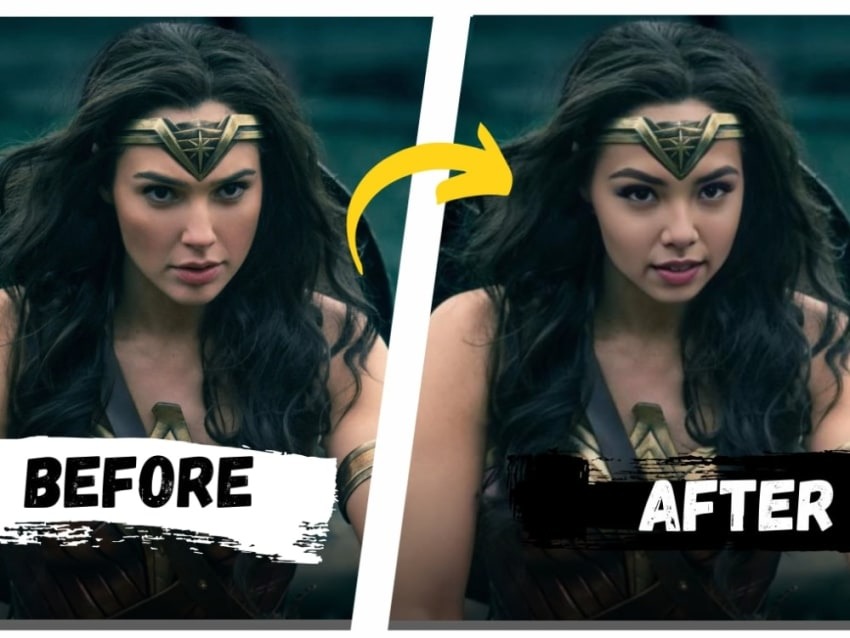
Picture this: You’ve always wanted to see yourself as Tony Stark or maybe swap faces with your best friend in that hilarious holiday video. AI-powered face swap tools have made this dream a reality. The magic happens thanks to advanced algorithms. These digital wizards map facial structures and create a seamless blend between different faces. Now, that’s pure gold for both budding video creators and meme enthusiasts!
First and foremost, let’s talk tools. You’ll need software like DeepFaceLab or Faceswap. These tools aren’t your everyday Joe’s Photoshop; they’re specialized. DeepFaceLab stands out because it’s open-source, meaning anyone can tweak it. It’s like a tinkerer’s paradise. But beware, the learning curve can be steeper than you might expect. Fumbling through tutorials might leave you feeling like you’re herding cats, but hang tight!
So how do you jump in? Start by downloading the software. Most of these AI tools run on Python. Don’t fret if you’re not a coding whiz—many online tutorials walk you through the setup. Next, gather your video clips. These should have clear, well-lit shots of faces. The software analyzes these frames to create a dataset. Imagine it like a cooking recipe: the better the ingredients, the finer the dish!
Once set, you’ll dive into the nitty-gritty of training the model. Training essentially means teaching the software to recognize and swap the faces. This process can be time-consuming—a real test of patience. Your computer’s horsepower plays a big role here. Got a high-end GPU? You’re in luck! Otherwise, it might be a long night. Either way, it’s like watching paint dry.
Ever seen a botched face swap? Yeah, those can look nightmarish. That’s why investing time in fine-tuning your model is worth it. Fine-tuning involves adjusting parameters till you get that smooth, lifelike swap. Think of it like fine-tuning a guitar; minor tweaks make a huge difference. But hey, part of the fun is in experimenting, right?
After training comes the moment of truth: rendering the final video. This step is somewhat akin to watching your favorite dish bake in the oven. A slow, satisfying wait with the promise of delight at the end. It’s here you’ll see the fruits of your labor come alive. And trust me, seeing your face naturally morphed onto someone else’s body is freaky yet fascinating.
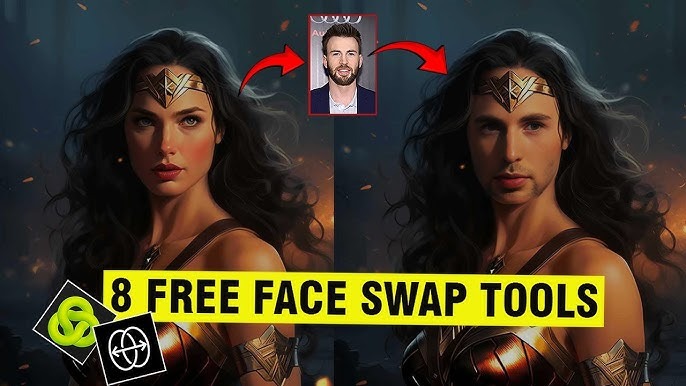
Sharing your creation is half the fun. Platforms like TikTok and YouTube are fertile ground for showing off your funny, bizarre, or downright creepy swaps. Adding some creative flair with background music or captions can elevate your content from good to viral-worthy. Be mindful though, not everyone will appreciate their face being used, so sticking with willing participants is a good policy.
Mastering Seamless AI Face Swap Videos: Advanced Techniques
Exploring the landscape of AI has unearthed a goldmine of possibilities, especially with the advent of face swap technology. Nowadays, you can effortlessly create jaw-dropping face swap videos with the help of free face swap video online tools. But let’s face it, cranking up the notch from just good to utterly phenomenal requires a bag of advanced techniques. Here’s how you do it:
First off, let’s cut straight to the chase – the AI game is all about data, right? Quality inputs yield quality outputs. Start with crisp, high-resolution images. You wouldn’t build a house with shoddy materials, so why settle for mediocre images? There’s a certain je ne sais quoi in the finer details, which often makes or breaks your face swap video.
Next, blending the swap seamlessly with the background is crucial. Ever noticed how some face swap videos look like a bad cut-and-paste job? That’s where blending comes in. Ensure the skin tones, lighting, and shadows match. AI will do most of the heavy lifting, but tweaking these manually can push your video into the next league.
Here’s a nifty trick: employ morphing techniques. It’s about using transition frames to create smooth swaps. Think of it as the butter on your AI bread – it’s all about smooth spread. These intermediate frames can do wonders in connecting your starting and ending points fluidly.
And don’t ignore expressions and head positions. The devil’s in the details, my friend. Consistent head angles and facial expressions between the source and destination images are non-negotiable. Imagine a bobblehead on a dance floor – that’s what you get if the angles don’t align.
Ever try cooking without knowing the recipe inside out? Same with AI tools – you gotta know your tech. Dive into the settings and options of your AI tool. Play with the parameters. Sometimes cranking up the algorithm’s sensitivity can make the difference between a Picasso and finger-painting.
One often overlooked technique is post-production editing. Even the best AI swaps benefit from fine-tuning. Softening edges, refining shadows, and adjusting brightness and contrast can elevate a good swap into an Oscar-worthy performance. Don’t let your video flatline – give it that post-production CPR!

Humor me – have you ever seen those cringe-worthy swaps where the lips sync like a bad dub? Pay attention to landmark alignment, particularly around the eyes, nose, and mouth. Precision here ensures your swap doesn’t go wonky during speech or motion. Think of it like tuning the strings of a guitar – perfect synchronization hits all the right notes.
And speaking of perfection, aim for a model-trained approach. Many tools allow you to train your own models using datasets specific to your project. Sure, the learning curve might seem steeper than Mount Everest, but the results are immensely rewarding. It’s like having a custom-fit suit, nothing beats the finesse.
Let’s not forget about video stabilization. Shaky footage detracts from the whole experience. Simple stabilizers can dramatically improve the overall coherence of your video, ensuring that your face swap maintains integrity throughout.
